 Now on iPhone and Android
Focus first.
Scroll later.
Focus2Scroll locks the apps that eat your day and gives them back as scroll minutes you earn by focusing. Put the phone down, do the work, then scroll without the guilt.
10 : 2
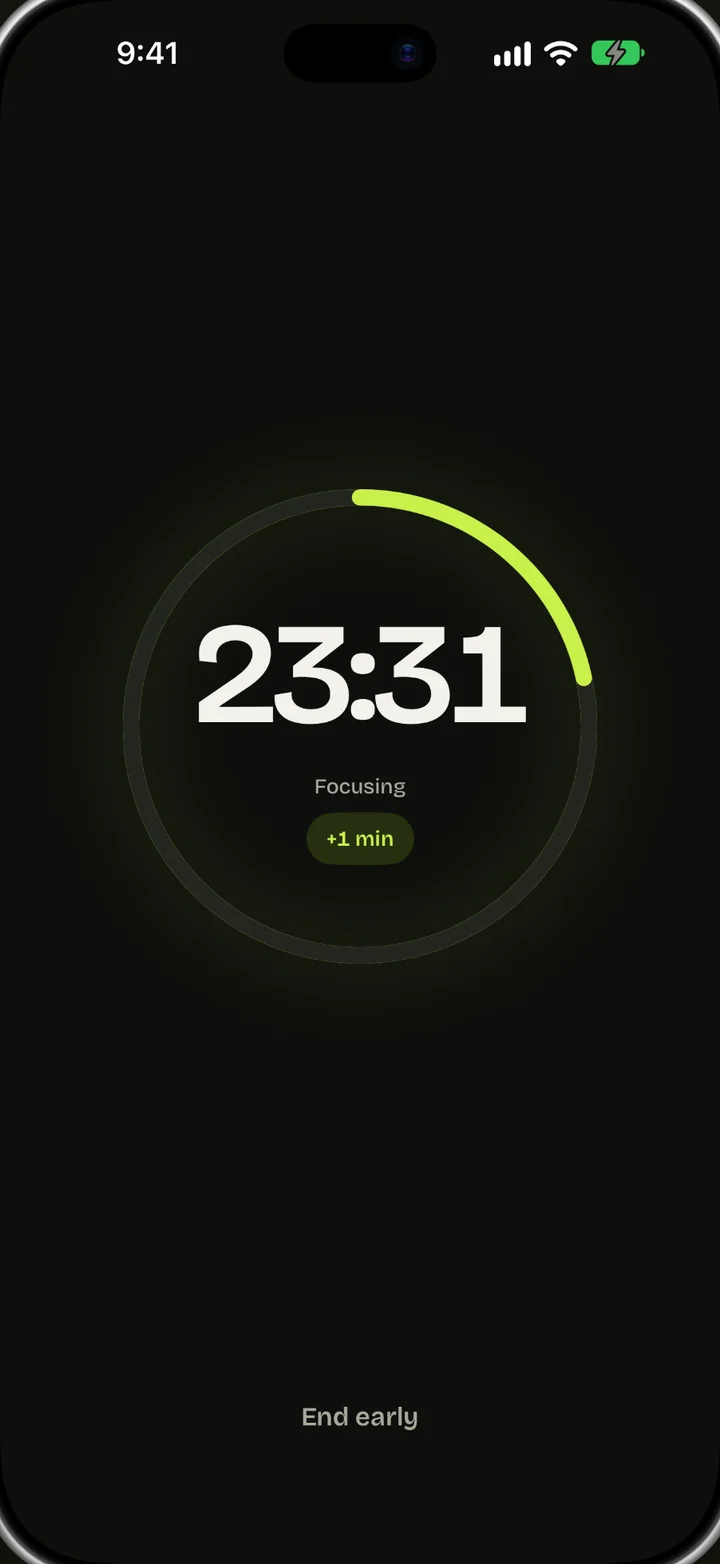
Every 10 min of focus earns 2 min of scrolling. Make it easier or stricter in Settings.
How it works
Three steps. No willpower required.
- 1
Start focus
Pick 20 to 120 minutes. Your chosen apps stay locked. Turn on Lock all apps and everything else locks too until the timer ends.
- 2
Put the phone down
Face up on the desk. Pick it up and it tells you, loudly, to put it back.
- 3
Earn your scroll time
Every 10 min of focus earns 2 min of scrolling. Spend it guilt-free.
Inside the app
Built for a phone lying face up on your desk.
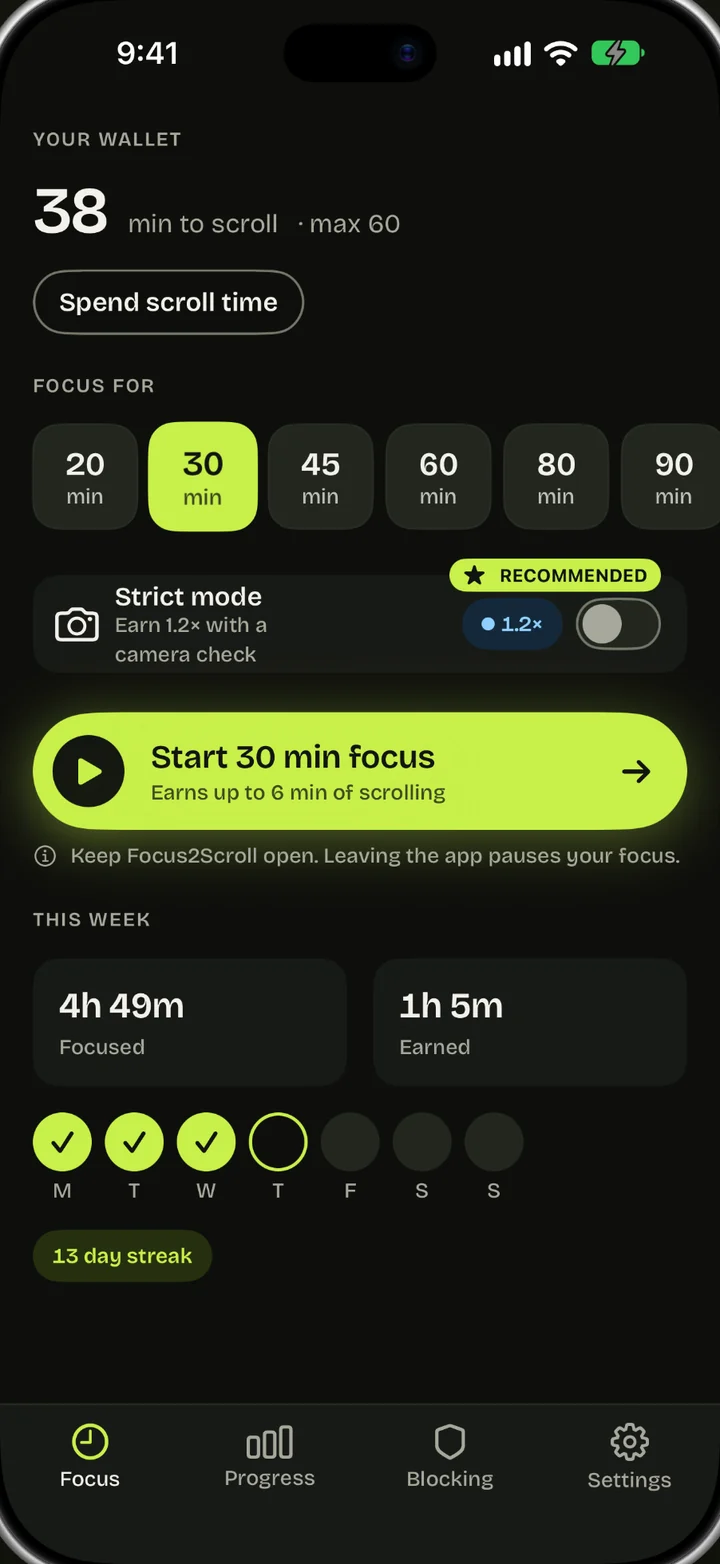
Pick a length and go
20 minutes to 2 hours. Your wallet shows the scroll minutes you've banked.
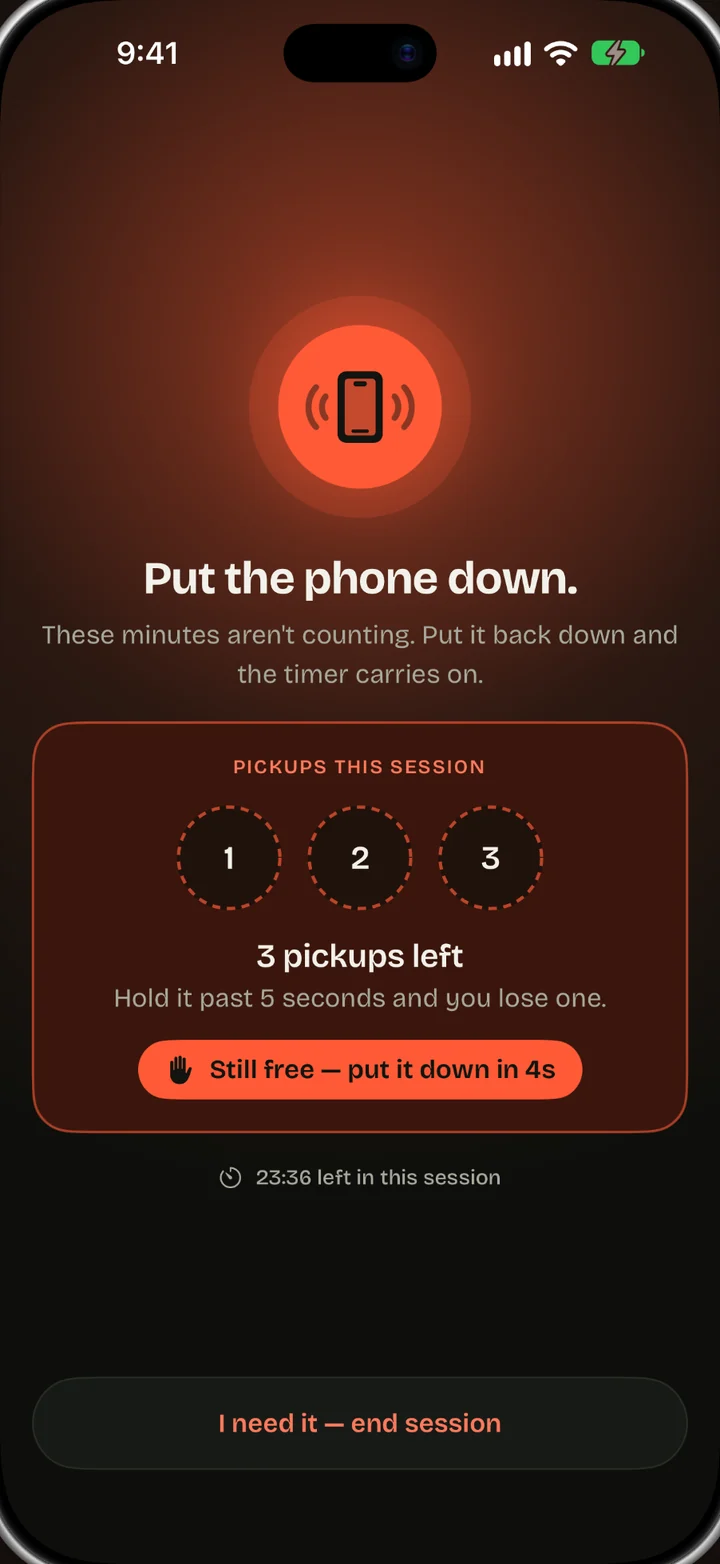
Pick it up and it notices
Minutes stop counting until it's back down. Set it down within 5 seconds and it's free.
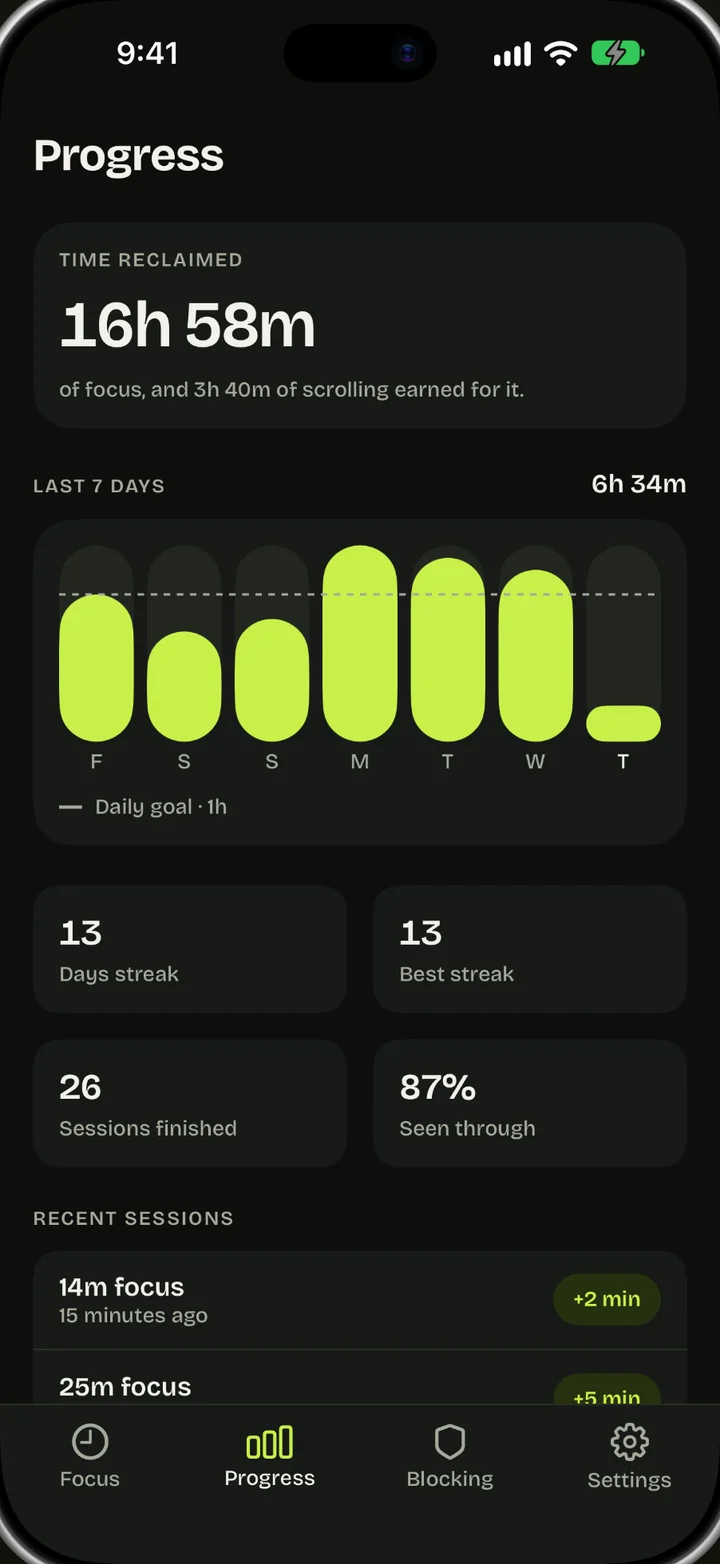
Watch your focus add up
Time reclaimed, your streak and a daily goal, week by week.
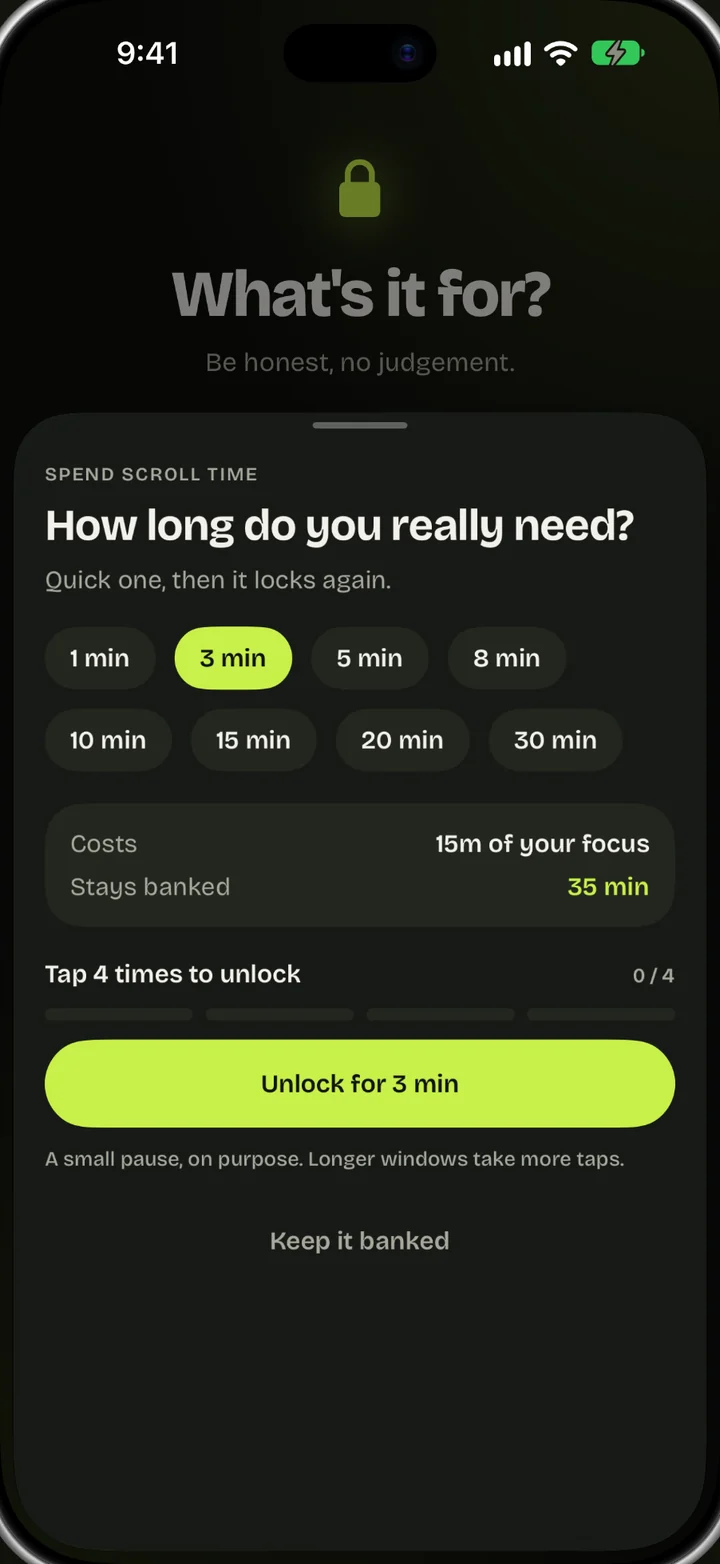
Unlock apps on purpose
Spend a few earned minutes, then your apps lock again.
Features
Everything you need to stay off the feed.
Blocks what steals your time
TikTok, Instagram, games: anything you pick stays locked while you focus.
Yells when you pick it up
Lift the phone mid-session and an alarm goes off. Set it down in time and you keep your minutes.
One currency: minutes
No coins or points. Focus earns minutes, scrolling spends them. That's it.
Strict mode
The front camera checks you're still at your desk. Verified sessions earn 1.2×.
Streaks that stick
A focus session a day keeps the streak alive. Miss one and you just start again.
Time reclaimed, weekly
See your focus per day and the hours you took back from the feed.
Your ratio, your rules
Easy, balanced or strict. Set a cap on how many minutes you can bank.
Calls still come through
Focus2Scroll never blocks calls, so the people who need you can reach you.
Strict mode · 1.2×
Walk away and it notices.
Prop your phone so the front camera sees you. Leave your desk and an alarm calls you back. Stay away for a minute and the session ends. Verified focus earns 1.2× the minutes.
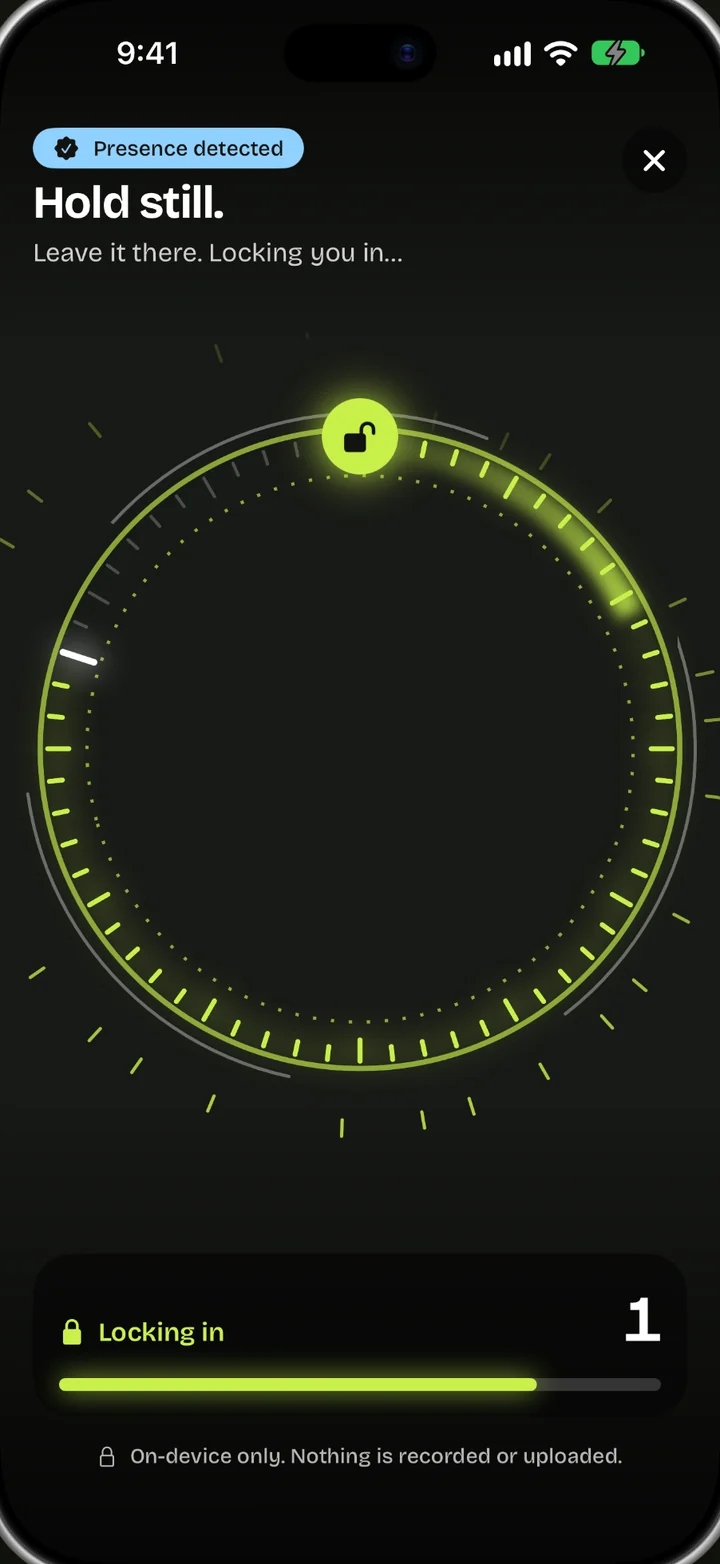
Camera checks stay on your phone. Nothing is recorded.
- Checks for a person in the frame, not where you look
- No photos or video are saved
- Nothing from the camera leaves your phone
- Off unless you turn it on
For students
Study sessions that actually happen.
Lock the feed through exam season, rack up a streak, and earn your Instagram time between chapters.
For remote workers
Deep work without the doomscroll.
No office, no one watching. Focus2Scroll keeps the phone down on the desk until the work is done.
How do I earn scroll minutes?
Start a focus session and put your phone down. When it ends, you earn scroll minutes at your ratio: by default every 10 min of focus earns 2 min of scrolling. Spend them on the apps you blocked whenever you like.
What happens if I pick up my phone during a session?
An alarm goes off and the screen tells you to put the phone down. Set it back within a few seconds and nothing is lost. The first three pickups are warnings; the fourth ends the session without earning.
Which apps can I block?
Any app you choose, picked with your phone's own app picker. Most people start with TikTok, Instagram, YouTube and games. Calls always come through, so you can still be reached in an emergency.
What is Strict mode?
An optional mode for when you want proof you stayed. Prop your phone so the front camera sees you; if you leave your desk, an alarm reminds you to come back. Strict sessions earn 1.2× the minutes.
Does the camera record me?
No. Strict mode checks that a person is in the frame a few times a second, entirely on your phone. No photos or video are saved, and nothing from the camera is ever uploaded.
Can I change how many minutes I earn?
Yes. Pick easy (10 min of focus earns 5), balanced (earns 2, the default) or strict (earns 1) in Settings, and set a limit on how many minutes you can save up.
Is it on Android?
Yes. Focus2Scroll is on Google Play for Android and on the App Store for iPhone.
Take your time back.
Download Focus2Scroll and start your first focus session today.